Every year there is a world wide conference held at Salt Lake City relating to genealogy. But in 2021 and now 2022, this conference has been online and free for anyone in the world to attend.
There are many activities to take part in:
Relatives at RootsTech – this year I have 13, so far, relatives ranging from 3rd cousins to 9th cousins attending the conference. This is a great way to connect with far off cousins and work out where they sit on your family tree.
Create a playlist from over 900 sessions available in many different languages – some are live, others pre-recorded – some sessions less than two minutes long and others nearly an hour. Pick and choose those you want to watch and listen to, add to your playlist, then spend the next year checking them out.
That’s right you don’t have to watch them all in a three day period.
Pace yourself and take rest and exercise in between your sessions.
Watch the mainstage at specific times for particular sessions being run live. These sessions also have chat rooms available where you can ask questions of the presenters after the sessions.
The Expo Hall is where you go to look at companies and their goods related to family history – includes DNA, family charts, software programs etc.
Check your calendarwhich is set for your own time zone to find out when the mainstage and live sessions as well as product demos are being held.
Some sessions are ready now so see you on my next blog post relating to the sessions I went to!
Jill: I think it’s the price we pay to thank @FamilySearch for #RootstechConnect. How clever are they to promote this activity and get their tree cleaned up.
Caitie G: I thought the way they set up the Expo Hall was really neat. Consider me impressed. I was wondering how a virtual expo hall would work. I gained some freebies, made use of the pdf downloaded available & used 2 discount codes.
Brooke: I’ll bookmark this list of DNA sessions, but what I really need is a list ordered from Beginner to Advanced. Where do I start?
Tara: Honestly? I wandered through expo hall, popped into a few chatrooms (all empty/quiet), and added lots of talks to my playlist but the focus for the weekend was writing the initial report for this man so I’m opting for delayed gratification with #RootsTechConnect – had had call about interesting findings.
SOPS: Maybe there’s potential, where folks aren’t in lockdown or (for those who are) after lockdown, to have in-person gatherings at which a selection of #RootsTechConnect presentations are watched and then discussed?
Sharn: There was still a buzz of excitement but I also missed the camaraderie of an in person conference. Made up for by the sheer numbers this even reached though
Hilary: I think if they improve the ability to chat with others it would improve #RootsTechConnect for the online audience even if there is an in person event next year
Jill: Yes, the ability to nest posts would improve the communication. Just imagine what they will give us at #RootstechConnect next year as they modify and improve on their platform
Fran: I also think people did not realise the chat was available for sessions 24 hours a day.
Shauna: most of the chat rooms I visited were mostly empty and not many visited my talk chat room. I had a few questions but expected more. I think everyone was too busy listening to talks.
Sue: had a quick chat with @DanielGenealogy and one of the #RootsTechConnect ask us anything people and also the Aussies at RootsTech room. Not sure how many people found the chat rooms. I only did by accident
Maggie: So many sessions to watch on my playlist, and now more added after recommendations tonight. Will have to schedule a regular time to watch so I get through them all! Really enjoyed #RootsTechConnect, and hope they keep some of it virtual for next year
SOPS: #RootsTechConnect was definitely a good experience and the great thing is that it’s not over, with the presentations being available until next year. I still have lots to catch up with on my playlist, especially as I’ll be adding to it thanks to this chat!
Sharn: I will be spending time going sideways and forward on my tree to make connections. And following up on Irish tips as well as English Land Surveys
Jill: I set up and monitored a Chat Room for Aussies at #Rootstechconnect but most Australians communicated via a Facebook Group we admins had set up 5 months ago. That kept us very busy
Sue: Think having our Facebook group helped with some newbies as they had somewhere to ask questions and get immediate answers to help them through the #RootsTechConnect Kudos to @geniaus and co.
Fran: And it is not too long after #RootsTechConnect to say again to @geniaus a big thanks for looking after us. You a fab job Jill, with the team Robbie and John.
Fiona: Colouring pictures were cool.
SOPS: I didn’t buy anything (would have liked to have seen more societies / vendors there), but I did find a couple of vendors offering society outreach / support programmes which I’m pursuing as possible Society membership benefits.
ANZ: Yes less vendors than at a real conference but perhaps that will change next year if RootsTech is virtual again. It’s a learning curve for everyone
Hilary: I will also be making sure my relatives are correct on the Family Search tree if I can so I can make better connections next year
Jill: I think many of the attendees were new to online events and didn’t have time to explore all of the features of the site at #RootsTechConnect that BTW was fabulous and so stable. Kudos to @RootsTechConf and @FamilySearch
Fran: I joined the Essex Society for Family History. Extra years members so was a good deal. Must make an effort to use the resources available. I have been to the Records office at Chelmsford so thinking the local familyhistorians a good place to follow up
Fiona and Shauna: I agree re the chat being quieter than I expected (and not just for my talks).
Maggie: I attended the @familytreemaguk Breakfast club – that was fun!
SOPS: I attended that one and the Afternoon Tea the next day, where I ended up talking about DNA tests revealing a family secret!
Maggie: I would have been there for that but for the dark o’clockness here.
SOPS: Yes, it would have been an unearthly time in your part of the world! It was good that the two sessions were at very different times to enable people in different timezones to take part in at least one of them
Sue: I like the fact that it is available all year not just one mad rush over the weekend. More needed to explain how to make connections with others around the world. Loved the song competition even though I only saw finalists on mainstage
Fiona: The conference you get to actually see presentations at, even when you are presenting. Having the presentations finished in December takes the last minute need to tweak away so you can enjoy the conference.
Sylvia: But also means that you cant include any last minute amendments when new information comes to light
Hilary: My favourite of the exihibitors was Audiobiography as they do stickers which you can use to share audio with your pictures
Sue: I have recently found out that I can download magazines on my ipad through the Libby app and my state library card – now reading latest familytreeUK then WDYTYA will be next.
SOPS: I finally added myself and my immediate ancestors to the FS family tree and apparently I had 674 relatives at RootsTech. I’m taking that number with a cellarful of salt but look forward to exploring the connections / errors at some point!
Shauna: I loved the Exhibition Hall and got some good bargains – several free magazines and a free online genealogy course. It was easy to spend money there but I resisted and only took freebies
Maggie: Hard to keep up with everything. I think there was a Twitter party at some point, but couldn’t remember what day/timezone it was in!
Sharn: @cassmob gave me a tip about a program called Name and Place which is designed to store information for One Place Studies and House Histories. I watched the sessions and was so impressed I signed up! No more notebooks for me
Maggie: And @genejean offers great support for N&P!
Shauna: I was fascinated by Relatives Around Me – not many Oz or UK connections but lots of Americans mostly at the 7th cousin or further back range. Some I looked into were clearly wrong so I think you need to be careful and check.
Sharn: I enjoyed Maurice Gleeson’s sessions. Lots of Good tips in Finding the Irish Who Stayed Behind
Carmel: I enjoyed too many sessions to list, for clear explanations could not go past the session on the Internet archive and the 3 part series on Treasures
Fran: Carmel, is the treasures one called Treasures and The Truth: How to Record Family History. If so I will add this to my list. Looks to have a technical side. I had passed it thinking it was about trinkets from the title.
Carmel: Yes Fran, she goes from reasons to share simple things through to making a video using PowerPoint with audio. good step by step with screen shots etc Good to share at local genie groups.
Sue: ended up with 7 relatives – 2 proven, 1 possible proven and 4 from line I haven’t completely proven yet.
Sharn: Among my favourite sessions were those by Katherine Schrober who teaches how to decipher old German handwriting. I have attended talks by her in person and always learn something new!
Shauna: I mostly listened to Australian speakers or Irish talks. I really liked @mauricegleeson talk on Finding Cousins. He had some good Irish map tips
Margaret R: I am heading to bed but Fiona’s Boats one was a hit for me- since I had family come from Victoria to NZ. Hope to use her techniques soon.
Sue: I chose to add to my playlist rather than watch a lot as was running back and forward to doctors and treatment with my mum. Now I can settle in and start watching and learning
Jill: Heather Garnsey @HGarnsey was a standout Aussie at #RootstechConnect – she is such a professional. A great Ambassador for us
Sharn: I was particularly pleased to hear Rob Hamilton’s session about Masonic records since I recently discovered my grandfather was a mason. Always good to learn about your ancestors’ lives.
Carmel: I watched the Aus/NZ ones too, well done to all those presenters Fiona, Shauna, Heather etc. Liked the short FamilySearch sessions too.
Sharn: I really enjoyed The Genealogist’s “Using Map Explorer” session. I love to overlay historical maps on Google earth to find ancestral places and this does it for you!
Fran: I also watched Fiona, @fiona_memories, They came on Boats and have all the rest and @patientgenie saved to a playlist in Youtube so I can watch the ones I missed and recheck things when I need to follow up.
Margaret B: I was away travelling, so only just starting to watch now I have caught up with emails, etc. So far the talk on the X-Chromosome has been excellent.
Sharn: Of the sessions I have watched really enjoyed Nick Barrrat’s talks especially the one on Land Surveys. I watched quite a few DNA talks. I watched all the Australian and NZ sessions and must applaud our ANZ speakers
Jill: A fave of mine at #rootstechConnect was the presentation about the Internet Archive. I have used it for years but learnt that I could borrow books if I signed up
Hilary: Of the few I have watched I enjoyed the one with Sunetra Sarker who had previously been on WDYTYA in UK
Fran: I like Sunetra also. Took me to the last session to finally catch her with a time I could watch and listen. I must hunt out the WDYTYA. She has some interesting ancestors.
Else: I keep going in about gaps and know your parish etc but anyone serious about English #genealogy should know that records aren’t “all online” but everyone must watch @Dave_Lifelines Rootstech Session: Where Have All the Registers Gone?
Jill: Lots of fave sessions #RootstechConnect.I liked it when: I could see the presenter who spoke slowly, had slides with images & little text & shared handouts or slidedecks. Best of all were those like @Dave_Lifelines who gave step by step online live demos.
Fran: Planning how I am going use the relationship database I learnt about. @airtable: Organizing Your Research with a Relational Database with Cheri Daniels. @Historiana. Also Nicole Dyer, @familylocket How to Use Airtable for a DNA Research Log. Also liked the quick sessions on DNA, tech tools and more. Many were reminders of things I knew already however sometimes we need reminders
Sue: I enjoyed all I have seen so far, but for my beginners at the library I reckon the small 4 minute sessions from Ancestry, MyHeritage were great
This year of COVID has made many changes to our lifestyle especially face to face in person events like conferences. Every couple of years I would attend the ISTE conference in America (International Society for Technology in Education). Often over 20,000 people heading to talks, workshops, poster events, expo hall or just sitting around conversing. I was usually there presenting a poster session on the student blogging challenge I ran for 10 years before and after retiring from teaching.
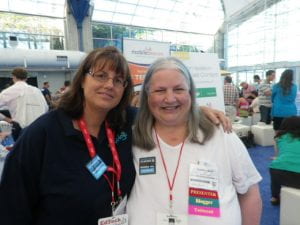
Sue Waters and myself at ISTE
But I have had experience of online conferences. Lucy Gray and Steve Hargadon run an online Global Education Conference each year for a week. They use Blackboard Collaborate (or they did when I last went to a conference with them). Sessions are on 24/7 and each room has a moderator to help the presenter. Sessions are recorded and archived. Some sessions would have no attendees except the presenter and moderator but it was still recorded. I was a moderator at this conference and would hear some great sessions from people related somehow to education in their country. Lucy and Steve are from America so they would look after the time slots during daylight hours there and Anne Mirtschin and I would look after the slots during daylight hours in Australia. As I was retired, I would stay up until about midnight our time, head to bed, then start again about 9am our time. It was an exhausting week but well worth it.
Rootstech this year is also totally online. As well as having a main stage where the sessions will be streamed live, they will also have prerecorded sessions to view at your own pace. All sessions will be available for a year and if you join the Rootstech Connect via Family Search, then you will be able to create a playlist of those sessions you want to view.
Just click on the picture below and it will open to 17 different posts explaining Rootstech
What to do if you want to take part in Rootstech conference?
Here is the main Rootstech page where you register for the event. While there, scroll down to see the keynote speakers or to find out who will be on the mainstage each day and also a list of the other sessions available.
But how can you connect people attending the conference?
Once you are registered for the conference, create a free account at Family Search and start building your tree. This is a world wide tree and will connect with other information added by the users of family search. You will be able to add or correct information if needed.
When you log into family search, you will see a banner at the top of the screen “Join relatives at Rootstech”, click on that and you will see how many of your relatives are at the conference. The more people you have added to your tree, the more chance you will see relatives. At the moment, I have two relatives at the conference but I hope more by the time it actually starts.
Readers: What is your experience of face to face or online conferences? What are the pros and cons of both?